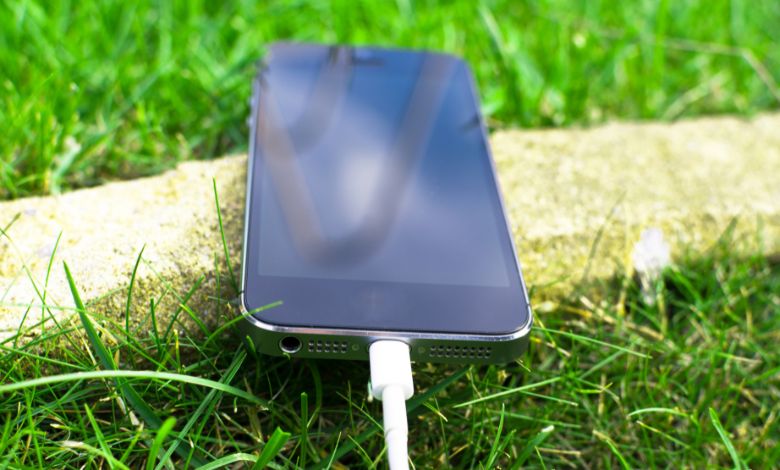
Learn how to fix your iPhone not charging after water with safe steps, tips, and expert troubleshooting to restore power quickly.
You’re sitting with a cold drink on a warm day, and whoops! your iPhone enjoys the table and the drink faces the glass. Or maybe you casually check messages in the bathroom, and it turns into a splash tragedy.
Suddenly, your iPhone is not charging after water, a reality.
Instant dread. Disappointment. Fear.
This issue has become one of the most talked-about Trends among iPhone users as water exposure accidents continue to rise with everyday smartphone use.
I’ve personally experienced that heart-sinking moment, more than once, and realized something important: You’re not alone, and it can be safely and intelligently fixed (or at least diagnosed).
Let’s go through everything—what is actually going on inside your phone, what you should do next, what you shouldn’t do (yes, the rice continues that list), and how to get your iPhone to recharge, or know when it’s time to consult a professional.
Table of Contents
- Why Your iPhone Suddenly Stops Charging After Water Contact
- What Happens Inside the Phone When Water Comes In
- Immediate Steps to Take (Do This Right Away)
- Step‑by‑Step Dry and Clean Method
- Safe Troubleshooting (Home Remedies That Actually Work)
- Common Mistakes Most People Make
- When to Seek Professional Help
- How to Prevent Water Damage in the Future
- My Personal iPhone Water Mishaps & What I Learned
- Summary & Quick Recap
- FAQ Section (Real Questions, Original Answers)
Why Your iPhone Suddenly Stops Charging After Water
To understand why your iPhone doesn’t charge after water, we need to talk about humidity, sensors, and circuit protection.
Modern iPhones , especially models iPhone 7 and later , are water-resistant (not waterproof). Sounds great, right? But here’s the catch: Water-resistant means it can withstand a splash, not a swimming pool session.
Inside your iPhone, a small but critical component exists in the charging port , a humidity sensor. This little guardian detects liquid or moisture and immediately blocks charging to protect the internal circuits.
So even if your iPhone looks fine on the outside, the sensor sees humidity and says:
“No. Not today.”
This is your phone’s way of saving itself from short circuits and permanent damage.
What Happens Inside the Phone When Water Comes In
Think of your iPhone’s internal circuitry like a busy city road network:
- Data flows like cars
- Current flows like buses
- Connections are like intersections
Imagine a flood hitting the city.
- Cars slow down
- Routes get blocked
- People panic
When water enters the charging port or condensation forms inside, it interferes with the normal flow of current , and your iPhone reacts by stopping charging completely to prevent chaos (a short circuit).
Water can reach:
- The charging port pins
- The lightning connector area
- The logic board / charging IC (Integrated Circuit)
- Other internal components
Even tiny droplets trapped in the moisture sensor can cause your iPhone not to charge after water, and this problem may last longer than expected.
Immediate Steps to Take (Do This Right Away)
When it happens, the first thing to remember (and you too): Do not attempt to charge the phone right now, even if the battery is at 20%.
Here’s a step-by-step guide:
Step 1: Turn the Phone Off
This prevents electrical current from interacting with moisture. Even background processes may cause shorts.
Step 2: Remove Any Case or Cover
Allows air to circulate and moisture to escape easily.
Step 3: Shake Gently / Tilt the Phone
Hold the charging port face down and stir gently , not aggressively.
Step 4: Dry the Outside
Use a soft, lint‑free cloth or microfiber towel.
Now that the device is stable, we can move on to proper drying.
Step‑by-Step Drying and Cleaning Method (Safe and Effective)
Here’s my tried-and-true method. When this happened to my iPhone 11 after a beach trip, I noticed tiny droplets inside the port the next morning! It taught me never to hurry.
Air-Dry (24–48 hours minimum)
Position the phone in a dry, ventilated area. Patience is your ally.
Use Silica Gel Packets (Best Option)
These moisture absorbers (usually in shoeboxes) are gold. Place your iPhone in a container with 10–15 packets. Avoid heat sources like fans, hairdryers, ovens, or heaters , they can damage internal parts.
Cleaning the Charging Port (Gently)
If comfortable and careful:
- Use a dry, soft brush or wooden toothpick
- Avoid pushing water deeper
- No liquids unless you know what you are doing
After this, the humidity sensor is less likely to block charging , meaning the phone may start charging without further issues.
Safe Troubleshooting (Home Remedies That Actually Work)
Some people swear by weird hacks , but here’s what really helps:
- Airflow + Time: Let nature take its course; often the best cure.
- Silica Gel: Like a dehydration pack for electronics.
- Try Wireless Charging (if supported): If your iPhone supports it, wireless charging can temporarily bypass the water-affected port.
It’s like giving your phone a safe route when its main road is flooded , a temporary workaround for the iPhone not charging after water issue.
Common Mistakes Most People Make (and You Should Avoid)
Where people go wrong (trust me, I’ve tried a few before learning the hard way):
Rice in the Phone
Rice can leave starch and residue in the port , making things worse.
Heat / Hairdryers
While heat dries water, it can damage internal components.
Charging Despite Moisture Detection
If your phone warns “Liquid Detected in Charging Port”, charging anyway can fry the logic board.
When to Seek Professional Help
After trying all safe home steps, consult a repair specialist or Apple Store if:
- The phone still won’t charge
- The charging port looks damaged
- There is corrosion or sticky residue
Water damage can slowly affect contacts and micro-connections , sometimes requiring professional cleaning or replacement of parts.
How to Prevent Water Damage in the Future
I learned this the hard way after that beach incident:
- Apply a Waterproof Case: Not just any case , a sealed waterproof bag.
- Use Tech Pouches: A little zip pouch keeps your phone safe from splashes.
- Be Careful Around Water: Most water damage comes from small drips or condensation, not major accidents.
My Own iPhone Water Accidents & the Lessons They Taught Me
Let me get personal. On a family vacation, I dropped my iPhone in a pool , not dramatically, just slowly sank.
I panicked and did everything wrong:
- Tried drying with a towel
- Hoped rice would help
- Plugged it in too soon
Nothing worked.
After air drying with silica gel for 48 hours, life returned to the phone. Slowly but surely, it worked.
Lessons learned:
- Patience matters
- Understand what’s happening inside the phone
- Rushing makes things worse
Since then, I’ve helped friends troubleshoot the iPhone not charging after water , and learned even more from their mistakes.
Summary & Quick Recap
Why it happens: Water triggers the humidity sensor to protect internal circuits.
Immediate actions: Turn off the phone, dry the outside, and let air + silica gel do the work.
What NOT to do: Rice, heat, or charging under moisture detection.
When to see a professional: After safe drying, if it still won’t charge.
With these tips, you have the best chance of fixing iPhone not charging after water without making things worse.
FAQs
Q: Can an iPhone survive water contact?
A: Yes, to an extent. No iPhone is waterproof , splash is usually fine, but prolonged exposure can cause problems.
Q: Will rice fix my charging problem?
A: No. It’s largely a myth and may block the port further.
Q: How long should I wait before trying to charge again?
A: At least 24–48 hours after proper drying.
Q: Is wireless charging safe after water contact?
A: Yes, if supported , it bypasses the water-affected port.
Key Takings:
- Dealing with an iPhone that won’t charge after water exposure can feel stressful , like watching your lifeline disappear. But with the right steps, patience, and understanding of what’s really happening inside your phone, you can give it the best chance at recovery.
- And if that still doesn’t work? Professional help is not a failure , it’s just the next logical step.
- You’ve got this.
Additional Resources:
- Apple , Liquid Detected & Charging After Water Exposure: Apple explains why charging is disabled when liquid is detected and provides safe steps to dry your iPhone before charging.
- Apple , Handling Water & Charging Safety: General guidance on water resistance, avoiding charging while wet, and letting your iPhone dry properly.