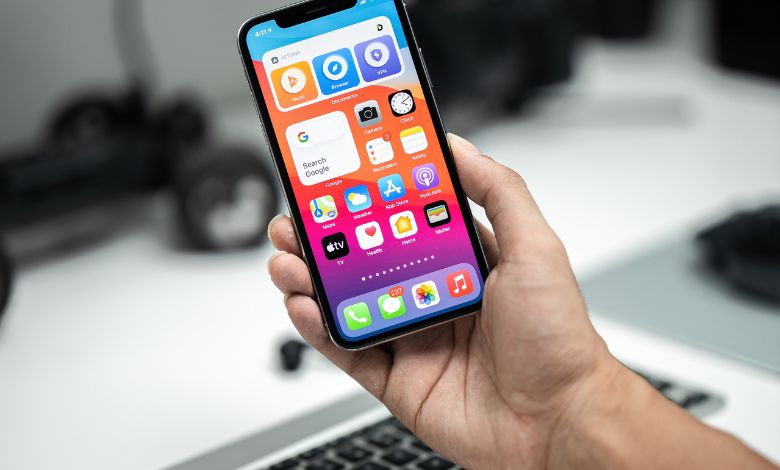
Learn the causes, solutions, and tips to fix the iPhone 16 Pro heating issue and keep your device cool and safe.
When I first got my iPhone 16 Pro, I was very excited. The sleek design, advanced camera, and the promise of lightning-fast performance made me feel like I had a piece of the future in my hands. But soon I noticed something unexpected: the phone felt warmer than usual even during light tasks such as surfing or texting. I wasn’t alone. Thousands of users have reported experiencing the iPhone 16 Pro heating problem, and it has become one of the latest trends among new smartphone owners. In this article, I’ll explain why this happens, what you can do to fix it, and how you can prevent it from happening,a serious problem.
Why the iPhone 16 Pro Gets Hot
There are several reasons why your iPhone 16 Pro can get hot even with daily use. Understanding these causes is the first step to finding a solution.
1. Powerful Hardware
The iPhone 16 Pro comes with Apple’s A18 Pro chip, which gives exceptional performance for games, photography, and multitasking. However, this level of processing power creates heat, especially when multiple apps are running at the same time or when the device handles resource-intensive tasks. It’s like running a high-end computer in a compact space,impressive power comes with some heat.
2. Background Processes and System Activity
Even when you are not actively using your phone, background activities such as iCloud sync, image indexing, and app updates keep the processor working. When your phone is new, these tasks are especially intensive, which can temporarily increase its temperature. I noticed it during the first few weeks of using my iPhone; the heat was most noticeable when I had just restored my apps and data.
3. Environmental Factors
The surrounding temperature can also affect your iPhone’s heat levels. Using your phone under direct sunlight, in a hot car, or in warm indoor environments may make it feel warmer than usual. Likewise, placing your device on a surface that traps heat,like a blanket or pillow,can increase warmth.
4. Problems with Software and Apps
Sometimes overheating is caused by software bugs or poorly optimized apps. Certain apps use more CPU resources, which leads to excessive heat. Updating iOS regularly helps, as Apple releases patches frequently to improve thermal management and fix bugs.
Common Signs of the iPhone 16 Pro Heating Issue
To know the difference between normal warmth and a problematic issue, it’s important to identify the signs:
Normal Warming:
- Slight warmth during extreme tasks such as gaming, streaming, or video recording
- Warmth when charging or using the camera for a few minutes
- Heat wears off quickly when you stop using the device
Problematic Heating:
- The phone gets warm during light tasks like texting or surfing
- Heat persists while the device is idle
- Noticeable battery drain or system slowdowns
- Unexpected shutdowns or thermal warnings
If you experience any of these signs of problematic heating, it is actionable.
Practical Solutions to the iPhone 16 Pro Heating Issue
Fortunately, there are several ways to reduce and prevent heat and long-term damage to your device.
1. Restart or Force Restart
Restarting your iPhone clears temporary files and turns off background processes that can contribute to heat.
To force restart:
Press Volume Up → Volume Down → Hold the Side button until the Apple logo is displayed.
I found that simply restarting my phone often helps the heat subside.
2. Update iOS and Apps
Keeping your software updated ensures that any bugs or thermal issues are resolved. Go to Settings > General > Software Update to install the latest iOS version. Likewise, update your apps through the App Store to avoid inefficient background activity.
3. Close Background Apps
Running multiple apps simultaneously can stress your processor. Swipe up from the bottom of the screen and close apps you don’t use. This simple step can significantly reduce heat.
4. Inactive Background App Refresh
Some apps update content even when you’re not actively using them, increasing CPU usage. Disable this feature for unnecessary apps via Settings > General > Background App Refresh. This helps reduce unnecessary processor load and heat generation.
5. Remove Your Case Temporarily
Certain phone cases can trap heat, preventing your iPhone from cooling naturally. During heavy usage or charging, try removing the case to allow better airflow. I personally noticed that removing my leather case while recording videos made my phone feel cooler within a few minutes.
6. Limit Resource-Heavy Features
High-end features like 4K video recording, ProRAW photography, and augmented reality apps generate heat. Reducing camera settings or limiting intense app usage during hot conditions helps manage device temperature.
7. Avoid Charging During Heavy Use
Charging generates natural heat, which, combined with intensive tasks like gaming or streaming, can make the device uncomfortably hot. If feasible, charge your phone when it’s not in heavy use, especially in hot environments.
8. New Layout (as a Last Resort)
If excess heat persists despite all efforts, consider a clean setup instead of restoring a backup. This can eliminate hidden software conflicts causing the heating issue. Many users, including myself, found that a fresh setup considerably reduced persistent warmth.
Preventive Tips to Keep Your iPhone Cool
- Avoid prolonged exposure to direct sunlight or hot environments
- Use Low Power Mode to reduce background activity
- Close unused apps regularly
- Monitor app usage via Settings > Battery to identify high-energy apps
- Keep iOS and apps updated
If your iPhone stays warm despite these tips, it may indicate a hardware issue. Apple Support can run diagnostics to determine if your device needs repair or replacement.
Signs requiring professional attention include:
- Persistent heat even during idle use
- Rapid battery drain
- Unexpected shutdowns or warnings
- No improvement after software updates and reboots
Key Takings:
- Experiencing the iPhone 16 Pro heating issue can be concerning, but understanding the reasons behind it and applying practical solutions can make a big difference. Some warmth is normal, especially with high-performance hardware and advanced features, but extreme heat should not be ignored.
- From my own experience, combining simple steps like closing background apps, updating software, adjusting settings, and temporarily removing the phone case solved most of the heat issues. While occasional warmth during heavy use is expected, your iPhone should remain comfortable to hold and perform reliably.
- By monitoring usage patterns, keeping your device updated, and implementing the steps outlined above, you can enjoy the full power of the iPhone 16 Pro without worrying about excessive heat. Remember, a little heat is normal , extreme or persistent heat is a sign to take action.
Additional Resources:
- Apple Support Community , iPhone 16 Pro/Max Heating Discussions: Community forum where users share real reports of iPhone 16 Pro heating, discuss normal vs abnormal warmth, and provide troubleshooting tips.
- Apple Support , How to Fix iPhone 16 Pro Overheating and Battery Drain: Official Apple community thread with user-shared solutions and advice on identifying overheating problems and when to seek professional help.